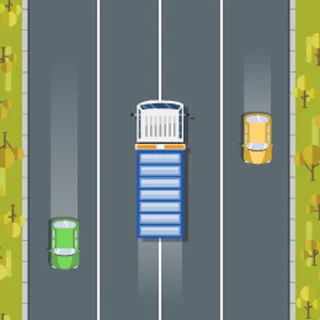
The snow runner on this page is Snow Rider 3D, an endless sled run served from snowrunner.org. Press Play, steer with the arrow keys, jump with Up, and see how long you last as the slope speeds up. (Looking for the SnowRunner truck game? It has no browser version — see the FAQ.)
Snow Rider 3D unblocked: how the sled run works
Snow Rider 3D is an endless runner (the site name, snow runner, is a fair description of it), except the runner is a sled and the track is a mountainside. You never choose a level. You push off, the camera sits behind the rider, and the slope rolls towards you until you touch something that is not snow.
A word on the name first, because people arrive here looking for two different games. SnowRunner with no space is a truck simulator from Saber Interactive about dragging heavy trucks through mud and snow. It exists only for PC and consoles and has no browser version, so nobody can offer it unblocked. The game on this page is Snow Rider 3D, a light sledding game that loads in a browser tab. If the trucks are what you came for, the Trucks & Off-Road shelf below has the nearest browser games, including a cargo-hauling one.
Snow Rider 3D is simple to learn. Left and Right steer, Up jumps, and the obstacles are what you would expect on a winter hill: pines, boulders, snowmen, log cabins and fences along the sides, ramps, and large snowballs that roll across the track. What makes it hard is that the speed never stops climbing, so a gap you could drift through at the start needs a quick, exact tap later on. Gift boxes sit between the obstacles; picking them up fills the counter in the corner and pays for other sleds.
Controls & mechanics
| Action | Control | Purpose |
|---|---|---|
| Steer | Left / Right arrow · touch the left or right side | Each press moves the sled sideways; a long press keeps it sliding |
| Jump | Up arrow | Clears low obstacles and turns a ramp into air time; you steer very little in the air |
| Start a run | Click or tap the game | The menu says Tap to start; the first run shows the three keys once |
| Next run | Tap anywhere after a crash | The end card shows this run’s score, your best and the gifts you collected |
Five habits that add distance
- Hold the middle lane: Treat the centre of the track as home and return to it after every dodge. From the middle a gap on either side is one short press away; from the edge only one side is.
- Brake your thumb, not the sled: There is no brake key, so the only way to deal with speed is smaller inputs. As the run gets faster, make your presses shorter.
- Jump from a straight line: Turn first, then jump. A sled that jumps while it is still sliding sideways lands off line, often straight into the next tree.
- Let snowballs pass: A rolling snowball is the only obstacle that moves. Do not try to cut across in front of it; wait for it to cross, then go behind it.
- Gifts are a bonus: Collect the gifts that are already on your line. Crossing the track for one usually costs the whole run and every gift you would have picked up afterwards.
Key features
- No finish line: A single downhill run that only ends on a crash, with the speed climbing the whole way.
- Three inputs: Left, Right, Up — or two thumbs on a touchscreen.
- Winter obstacles: Pines, boulders, snowmen, cabins, fences, ramps and rolling snowballs.
- Sled shop: Collected gift boxes carry over between runs and pay for other sleds.
- Best score kept: Your best run and your gift total stay in this browser between visits.
- Hosted here: The Unity WebGL build loads from snowrunner.org itself, not from a third-party game portal.
Game info
- Title: Snow Rider 3D (unblocked, browser version)
- Developer: Snow Rider
- Category: Snow & Ice
- Platform: Web browser (HTML5)
- Game: Snow Rider 3D · Unity WebGL (January 2022 build) · served from snowrunner.org
Pro tip: Say the next move out loud for a few runs — "left, middle, jump". It sounds silly, but it forces you to plan one obstacle ahead instead of reacting to the one in front of the sled.